
In the fantastic area of Hilliard you’ll be in good company with around 35,530 residents with around 72% of those homeowners. With an average age of 36, the residents of Hilliard are well established, made up of families of all age groups. Though fairly kicked back throughout the week, during weekends and holidays, you can see a lot more activity and excitement. Over the past 30 days roughly 32 homes have been sold with an average sold price of 538,116. That is an increase of $57,514 from the previous period.
Living in Hilliard, Ohio
Living in Hilliard, Ohio, offers the perfect blend of suburban comfort and access to urban conveniences, making it an inviting place to call home. With a growing population of approximately 37,377, Hilliard has steadily become a sought-after community near Columbus. This growth is a testament to the city’s appeal, offering residents a warm and welcoming environment.
Hilliard is rich in attractions that cater to various interests. For family fun, Ten Pin Alley is a favorite, offering bowling, laser tag, and an arcade. Outdoor enthusiasts will enjoy Homestead Metro Park, where you can stroll through scenic trails, visit a charming replica train station, or relax by the covered bridge. The city’s Early Television Museum provides a unique glimpse into the history of broadcasting, while the Hilliard Family Aquatic Center is a great spot for cooling off during the summer months.
Education is highly valued in Hilliard, and while the city itself doesn’t host major universities, its close proximity to Columbus means residents have easy access to prestigious institutions like Ohio State University. This access enhances local opportunities for both education and employment, making it a great place for families and professionals alike.
Hilliard stands out for its family-friendly atmosphere, characterized by safe neighborhoods, high-quality schools, and abundant parks and recreational spaces. The cost of living is reasonable, with the average home price around $348,000, offering excellent value for those looking to settle in a thriving suburban community. Local events and festivals, such as farmers' markets and seasonal celebrations, bring neighbors together and create a strong sense of community.
The city enjoys a humid continental climate, with warm, humid summers and cold winters. Hilliard receives about 40 inches of rain and 22 inches of snow annually, with the most pleasant weather from June through September.
Safety is a priority in Hilliard, with a crime rate of 11 per 1,000 residents, lower than many similar-sized communities. This, combined with the city’s welcoming atmosphere and diverse population, makes it a great place to live for people of all ages and backgrounds.
Whether you're drawn to Hilliard for its family-friendly environment, access to educational opportunities, or strong community spirit, you’ll find a city that truly feels like home.
Want the full market report for Hilliard?
We want to ensure that you have all the information needed to make the best decisions when it comes to your home goals. When you enter your info below you will get instant access to the area's latest market report, complete with sales and demographic trends.

Communities Near Hilliard, Ohio
If you're looking to find a home in the Northwest suburbs of Columbus, your options are wide and varied. We serve many communities in the Central Ohio area, including the below neighborhoods and cities:
Upper Arlington
Upper Arlington offers a sophisticated suburban lifestyle with top-rated schools, lush green spaces, and a strong sense of community. This charming city is renowned for its elegant homes, vibrant arts scene, and proximity to the heart of Columbus. Take a look at our currenthome listings for Upper Arlington.
Dublin
Dublin is a thriving community that seamlessly blends small-town charm with modern amenities. Known for its excellent schools, diverse housing options, and abundant recreational opportunities, Dublin offers a high quality of life for families and professionals alike. Find your next home by checking out of Dublin, Ohio, real estate listings.
Plain City
Plain City is a welcoming community that preserves its small-town heritage while embracing growth. This charming city offers a peaceful atmosphere, friendly neighbors, and easy access to both rural and urban amenities. Browse our listings for Plain City, Ohio real estate.
Marysville
Marysville is a dynamic city experiencing rapid growth while maintaining its small-town roots. With a strong economy, excellent schools, and a variety of recreational activities, Marysville is an attractive choice for families and individuals seeking a vibrant community. Take a look at our current home listings for Marysville, Ohio.
Local News & Advice
Read helpful resources and articles related to the area.

What Stays With The House When You Move? Fixtures, Appliances, …
During a home sale, it’s not always clear what items belong to the seller and what items stay…
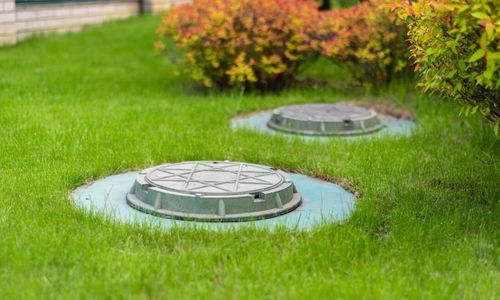
Buying A Home With A Septic System: What You Should …
Around a quarter of homes in the United States use a septic system for sewage disposal. Septic is…

How To Estimate A Home’s Utility Costs Before You Buy
Utilities are a major but often-overlooked expense by home buyers who are budgeting for a new house. If…
Our Central Ohio Service Areas
Share My QR |
|
Accessibility
Accessibility modes
Online Dictionary
Readable Experience
Visually Pleasing Experience
Easy Orientation
Accessibility Statement
- thesundermangroup.com
- October 9, 2026
Compliance status
We firmly believe that the internet should be available and accessible to anyone, and are committed to providing a website that is accessible to the widest possible audience, regardless of circumstance and ability.
To fulfill this, we aim to adhere as strictly as possible to the World Wide Web Consortium’s (W3C) Web Content Accessibility Guidelines 2.1 (WCAG 2.1) at the AA level. These guidelines explain how to make web content accessible to people with a wide array of disabilities. Complying with those guidelines helps us ensure that the website is accessible to all people: blind people, people with motor impairments, visual impairment, cognitive disabilities, and more.
This website utilizes various technologies that are meant to make it as accessible as possible at all times. We utilize an accessibility interface that allows persons with specific disabilities to adjust the website’s UI (user interface) and design it to their personal needs.
Additionally, the website utilizes an AI-based application that runs in the background and optimizes its accessibility level constantly. This application remediates the website’s HTML, adapts Its functionality and behavior for screen-readers used by the blind users, and for keyboard functions used by individuals with motor impairments.
If you’ve found a malfunction or have ideas for improvement, we’ll be happy to hear from you. You can reach out to the website’s operators by using the following email [email protected]
Screen-reader and keyboard navigation
Our website implements the ARIA attributes (Accessible Rich Internet Applications) technique, alongside various different behavioral changes, to ensure blind users visiting with screen-readers are able to read, comprehend, and enjoy the website’s functions. As soon as a user with a screen-reader enters your site, they immediately receive a prompt to enter the Screen-Reader Profile so they can browse and operate your site effectively. Here’s how our website covers some of the most important screen-reader requirements, alongside console screenshots of code examples:
-
Screen-reader optimization: we run a background process that learns the website’s components from top to bottom, to ensure ongoing compliance even when updating the website. In this process, we provide screen-readers with meaningful data using the ARIA set of attributes. For example, we provide accurate form labels; descriptions for actionable icons (social media icons, search icons, cart icons, etc.); validation guidance for form inputs; element roles such as buttons, menus, modal dialogues (popups), and others. Additionally, the background process scans all of the website’s images and provides an accurate and meaningful image-object-recognition-based description as an ALT (alternate text) tag for images that are not described. It will also extract texts that are embedded within the image, using an OCR (optical character recognition) technology. To turn on screen-reader adjustments at any time, users need only to press the Alt+1 keyboard combination. Screen-reader users also get automatic announcements to turn the Screen-reader mode on as soon as they enter the website.
These adjustments are compatible with all popular screen readers, including JAWS and NVDA.
-
Keyboard navigation optimization: The background process also adjusts the website’s HTML, and adds various behaviors using JavaScript code to make the website operable by the keyboard. This includes the ability to navigate the website using the Tab and Shift+Tab keys, operate dropdowns with the arrow keys, close them with Esc, trigger buttons and links using the Enter key, navigate between radio and checkbox elements using the arrow keys, and fill them in with the Spacebar or Enter key.Additionally, keyboard users will find quick-navigation and content-skip menus, available at any time by clicking Alt+1, or as the first elements of the site while navigating with the keyboard. The background process also handles triggered popups by moving the keyboard focus towards them as soon as they appear, and not allow the focus drift outside of it.
Users can also use shortcuts such as “M” (menus), “H” (headings), “F” (forms), “B” (buttons), and “G” (graphics) to jump to specific elements.
Disability profiles supported in our website
- Epilepsy Safe Mode: this profile enables people with epilepsy to use the website safely by eliminating the risk of seizures that result from flashing or blinking animations and risky color combinations.
- Visually Impaired Mode: this mode adjusts the website for the convenience of users with visual impairments such as Degrading Eyesight, Tunnel Vision, Cataract, Glaucoma, and others.
- Cognitive Disability Mode: this mode provides different assistive options to help users with cognitive impairments such as Dyslexia, Autism, CVA, and others, to focus on the essential elements of the website more easily.
- ADHD Friendly Mode: this mode helps users with ADHD and Neurodevelopmental disorders to read, browse, and focus on the main website elements more easily while significantly reducing distractions.
- Blindness Mode: this mode configures the website to be compatible with screen-readers such as JAWS, NVDA, VoiceOver, and TalkBack. A screen-reader is software for blind users that is installed on a computer and smartphone, and websites must be compatible with it.
- Keyboard Navigation Profile (Motor-Impaired): this profile enables motor-impaired persons to operate the website using the keyboard Tab, Shift+Tab, and the Enter keys. Users can also use shortcuts such as “M” (menus), “H” (headings), “F” (forms), “B” (buttons), and “G” (graphics) to jump to specific elements.
Additional UI, design, and readability adjustments
- Font adjustments – users, can increase and decrease its size, change its family (type), adjust the spacing, alignment, line height, and more.
- Color adjustments – users can select various color contrast profiles such as light, dark, inverted, and monochrome. Additionally, users can swap color schemes of titles, texts, and backgrounds, with over 7 different coloring options.
- Animations – epileptic users can stop all running animations with the click of a button. Animations controlled by the interface include videos, GIFs, and CSS flashing transitions.
- Content highlighting – users can choose to emphasize important elements such as links and titles. They can also choose to highlight focused or hovered elements only.
- Audio muting – users with hearing devices may experience headaches or other issues due to automatic audio playing. This option lets users mute the entire website instantly.
- Cognitive disorders – we utilize a search engine that is linked to Wikipedia and Wiktionary, allowing people with cognitive disorders to decipher meanings of phrases, initials, slang, and others.
- Additional functions – we provide users the option to change cursor color and size, use a printing mode, enable a virtual keyboard, and many other functions.
Browser and assistive technology compatibility
We aim to support the widest array of browsers and assistive technologies as possible, so our users can choose the best fitting tools for them, with as few limitations as possible. Therefore, we have worked very hard to be able to support all major systems that comprise over 95% of the user market share including Google Chrome, Mozilla Firefox, Apple Safari, Opera and Microsoft Edge, JAWS and NVDA (screen readers), both for Windows and for MAC users.
Notes, comments, and feedback
Despite our very best efforts to allow anybody to adjust the website to their needs, there may still be pages or sections that are not fully accessible, are in the process of becoming accessible, or are lacking an adequate technological solution to make them accessible. Still, we are continually improving our accessibility, adding, updating and improving its options and features, and developing and adopting new technologies. All this is meant to reach the optimal level of accessibility, following technological advancements. For any assistance, please reach out to [email protected]